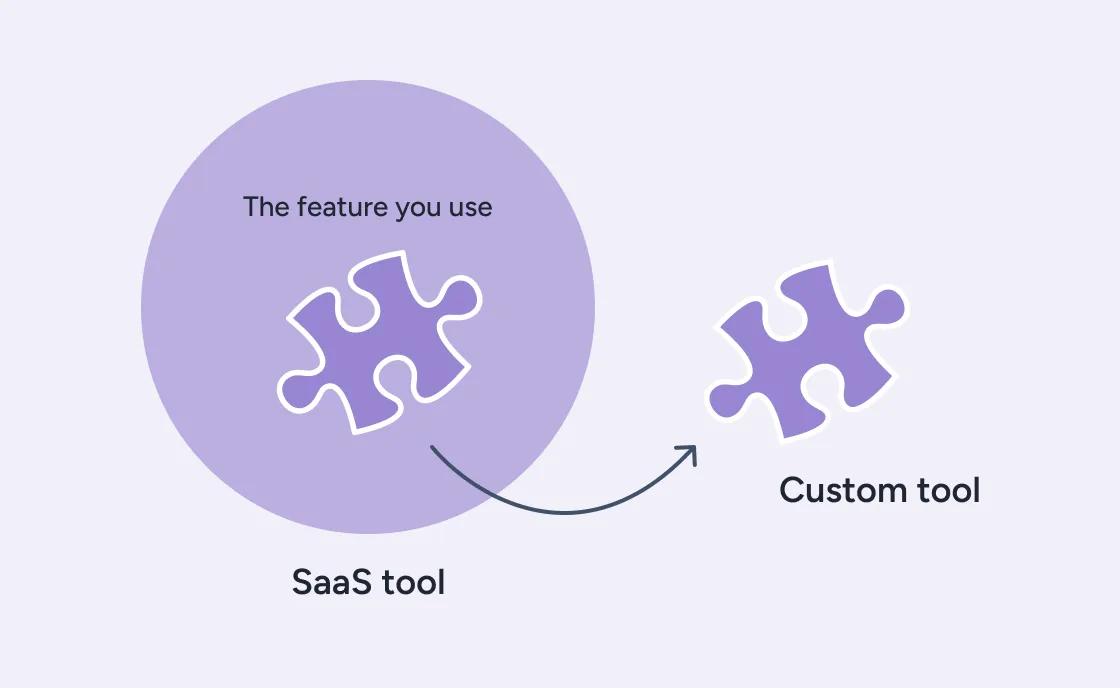
We replaced a paid SaaS-management tool with a small internal service built with Claude Code in a few days. The hard part wasn’t the code, but knowing which features we actually needed and how to integrate them with our existing stack.
Do you use some piece of software as a service and you started to wonder whether you could replace it with AI? Yeah, us too. Here’s our (success!) story and to go fully meta we replaced a “SaaS management” tool with custom software written entirely with AI.
What SaaS management tools are and what’s our issue with them
Most companies use several SaaS tools for their work, and Buildo is no exception. As the number of these tools grows, so does the management complexity: how do we manage payments for these tools (credit cards, wire transfers?), how do we keep track of the tools we use, how do we make sure we don’t overpay for a tool, etc.
That’s why SaaS management tools exist: a SaaS to manage all the others. The key features of this class of tools are usually:
Issuing virtual cards per-tool
Ability to set hard/soft limits on such cards
Invoice reconciliation
Overview of approved tools being used
Discovery of “unapproved” tools used at the company
This looked very appealing, so a couple of years ago we signed up for a popular one and used it until the start of this year: employees get access to the SaaS manager, can request cards to pay for the tools they need and set limits appropriately.
Fast forward to today and looking back at it, here’s my assessment of which features actually matter to us and which do not:
✅ Issuing virtual cards. This is convenient: at a small company like ours you may be tempted to issue a single “tools” card and use it for everything, but this approach is short-sighted: if that card gets compromised or expires it impacts every tool at once. Similarly, setting expense limits on a tool-by-tool basis becomes very hard.
✅ Setting hard/soft limits on cards. Very convenient and it has saved us hundreds of euros along the way: accidental renewals or sudden spikes in subscription prices now trigger a clear warning (in case of soft limits) or straight up block the payment (hard limits), making us immediately aware of any budgeting issue.
❌ Invoice reconciliation. Conceptually interesting, but we ended up not using this at all. The idea is that every transaction generates a “task” and the task is completed once you attach a matching invoice to it. There are then some integrations (like an email scraper) that try to find invoices automatically. Here’s the thing: the task thing doesn’t fly because people don’t want yet-another-task-management-tool to monitor: it just gets ignored. The integrations work sometimes, but unreliably enough that we can’t really trust it. So despite having a dedicated tool, we just kept doing what we used to do: forward any invoice to our accountant and let them warn us if any invoice was missing. It’s disappointingly boring and we can probably improve on it, but it’s really not a massive pain point 🤷
❌ Overview of approved tools being used. Again, conceptually interesting, but we already maintain a Notion database of tools we use, with a description, an owner, related procedures, internal guides, etc. It’s all very integrated and tailored to our processes and the “SaaS list” provided by another vendor is just a foreign object to us (and it’s not possible to integrate it via API because… they don’t have one). What the SaaS management tool offers is just a list of stuff with some properties that I can filter and aggregate: this pales in comparison with what we can already do with Notion.
❌ Discovery of “unapproved” tools used at the company: this is not a feature our current SaaS management tool has, but I’ve tried others and it’s basically a big mess. The idea is that the management tool hacks its way into your company data (for example, by checking the Google logins of employees) and tries to infer if some “unknown” tools are being used by anyone. This sounds really cool if you want a false sense of control, but, first, the ones we tried were extremely noisy and imprecise, you need to sift through too many false positives to get something you care about; second, the tools you care about are already mapped: if they needed to pay for it, they had to ask for a card, and this is normally tracked in Notion. If the tool is free: do I really care? I mean, experimenting with new tools is something we actively encourage and for a company our size it doesn’t make sense to be extremely prescriptive about what can and cannot be used.
Bottom line, it seems we care about one thing: issuing virtual cards on demand and setting limits on them.
The SaaS management tool we are using today does it well but:
It’s yet another tool people need to know about, log in, etc.
It’s poorly integrated with our pre-existing database of tools in Notion.
It costs money! We are currently paying 125$/month but we’re about to need a larger plan to keep adding tools, bringing the price to 200$/month. And once we overshoot that (which looks absolutely plausible, given our numbers), the price hikes up to 500$/month.
So what?
At first glance, spending between 2000$-5000$/year for a tool of this kind looks intimidating, but it’s not the only tool we spend this kind of money on, so it’s not a problem in absolute terms.
What’s the alternative? We’re a software company so it’s reasonable to ask how much it would cost to build an internal tool that gives us the same functionality.
I’ve thought about it a few times in the past couple of years, and so far I had always estimated that the cost would not justify it: it would take maybe a couple of weeks to build and then you need to maintain it, etc. And even if the math adds up, it’s hard to find the time and focus to fit this project in.
This all changed with the advent of agentic programming and Claude Code.
Vibe Engineering for internal tooling
I started experimenting with Claude Code at the end of 2025, and this felt like a good use case to test it: if I can come up with an alternative tool in 1-2 days, then the economics of the whole thing shift significantly and the break-even makes a lot more sense.
So how did I approach it?
Step 1
Chat with Claude. I wasn’t at a computer when the idea hit, so I had no access to Claude Code - probably a good thing, since it forced me to think hard about the design before writing any code. Here’s my initial prompt to Claude (using Opus 4.5, the frontier model at the time):
At my company with use XXX, a SaaS to issue virtual cards for the tools we use. XXX offers lots of feature but the most compelling ones for us are: being able to issue virtual cards to employees to use for various tools; being able to set limits of these cards; having an overview of the tools we’re paying for.Now, since we’re also using Revolut Business to issue personal cards to employees, I was wondering if we can use Revolut (plus some custom integration) to replace XXX, which costs about 200 euros/month.
Note that when I asked this question, I had no idea whether Revolut could be a good fit or not.
After 20 mins or so chatting with Claude we came up with these key points:
Revolut is indeed a good fit: they offer virtual Company Cards, i.e. cards that are in the company’s name, as opposed to a specific person. This is ideal for our use case. We can also set hard limits on these cards, either over a period of time or per transaction
Crucially, Revolut Business offers an API to create Cards, but you need to manually request access for it
There’s probably no need for a dedicated UI: we can use Notion as our main interface. We validated that Notion and Revolut’s respective APIs offer what we need to make the integration work (webhooks and so on)
We can write a small backend service to orchestrate Notion and Revolut, and we can keep it stateless (actual data lives in either tool). This is another great win, since I don’t need to maintain data anywhere and worry about persistence, backups, etc.
This is one of the main breakthroughs AI introduced to the software design process: I was able to go back and forth and validate my assumptions within minutes, while doing it manually would’ve taken me several hours.
At this point, I fired off an email to the Revolut support and crossed my fingers.
Step 2
Do the thing.
To my surprise, Revolut answered very quickly and enabled the Cards API! We were ready to go. I started a Claude Code session and boom, less than a couple of hours later I had a working prototype.
For extra security, I decided not to store the card information on Notion, but to link it to our company’s 1Password. Once the card is created I store its info in a secure item, and link it to Notion.
I then moved on to create a transactions db, so that we can track the transactions for each card, and implement the “soft budget” mechanism (if a card overshoots the budget, don’t stop the transaction but issue a warning).
All in all, the whole thing took about 5-6h to implement, from scratch.
I haven’t written a single line of code, but I’ve implemented all reasonable guardrails to ensure quality:
I’ve decided the core technologies to use, so that I would be confident in maintaining it (Node.js, TypeScript, Fastify)
the project has formatting, linting, typechecking, etc (enforced in CI)
the project has over 30 integration tests for the core functionalities (also enforced in CI)
there is extensive architectural documentation
Setting a budget in Notion (each line is a tool), hitting “Create Card” and boom
Step 3
Profit, and a little fun.
It all felt too easy, so I decided to spend a little time on creating a logo and a launch video (using Remotion). The logo was mostly done with Gemini, while the video is the result of a 30m session with Claude Code.
Key learnings
It was interesting to see how agentic programming (vibe engineering, call it whatever) can significantly speed up some engineering tasks.
It’s tempting to file this under “I can vibe code a SaaS in a day”, but this is leaving out some information:
Software engineering is not just coding: it’s solving problems with software. Identifying the problem, designing a solution, coming up with ideas to validate, deciding on the best approach (Notion vs UI, stateful vs stateless, engineering the whole thing with tests and other guardrails, etc) are all things that I have done myself, and I was effective in doing it because creating custom software to solve problems is literally my job.
Give the same problem to a non-technical person, or even to a technical person who’s not used to analyzing product requirements and evaluating trade-offs, and I promise you the result will either suck or it would take significantly longer.
The real skill at play here was requirements gathering: I was able to come up with this solution because I had identified a clear set of features that we needed, and - crucially - a set of features we did not. So ultimately, I did not “vibe-code a SaaS in a day”; I extracted exactly the features we needed from the product we were paying for and deeply integrated them with our existing tools.
Conclusions
It can be done! Our experience proves that AI is definitely tipping the make-or-buy scale towards making, but with caveats. The surface area needs to be manageable and well understood: AI won’t magically understand your business needs.
At the same time, the more you go custom, the more software professionals must be involved: it’s easy to vibe-code a demo, it’s still hard to make it actually work and roll out across your organization, if you don’t have the necessary skills.
If you want to go down that road and regain ownership of your tools, we’re happy to help!
Gabriele PetronellaManaging Partner & CTO
Gabriele is co-founder of Buildo, where he works as co-CTO. He is passionate about front-end and back-end architectures, and has long-term experience with React, TypeScript and Scala.